
Use condition nodes to create branches within a workflow. Each branch can handle different conditions by assigning team members, adding tags, or sending different messages.
Example
Scenario
You have connected several social channels and want different team members to handle each channel.
Configuration
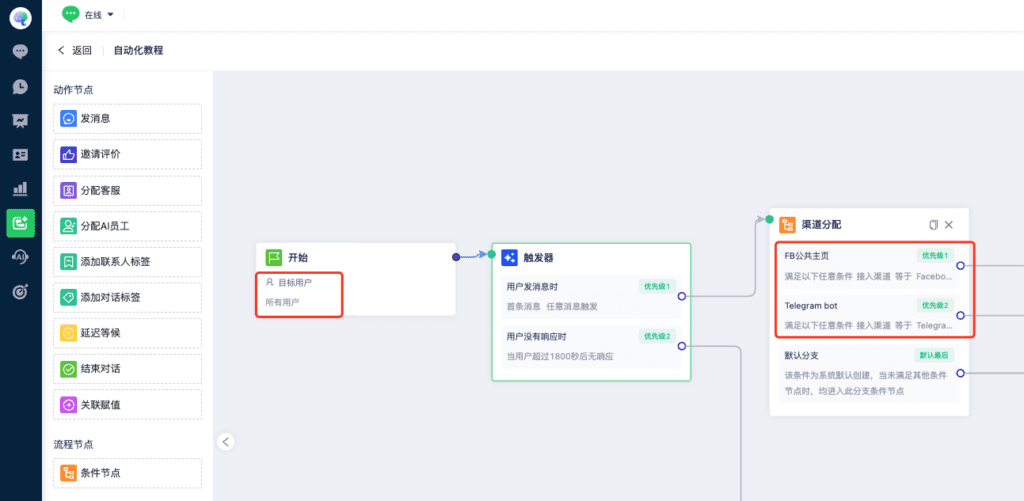
1. Set the target audience to All Users.
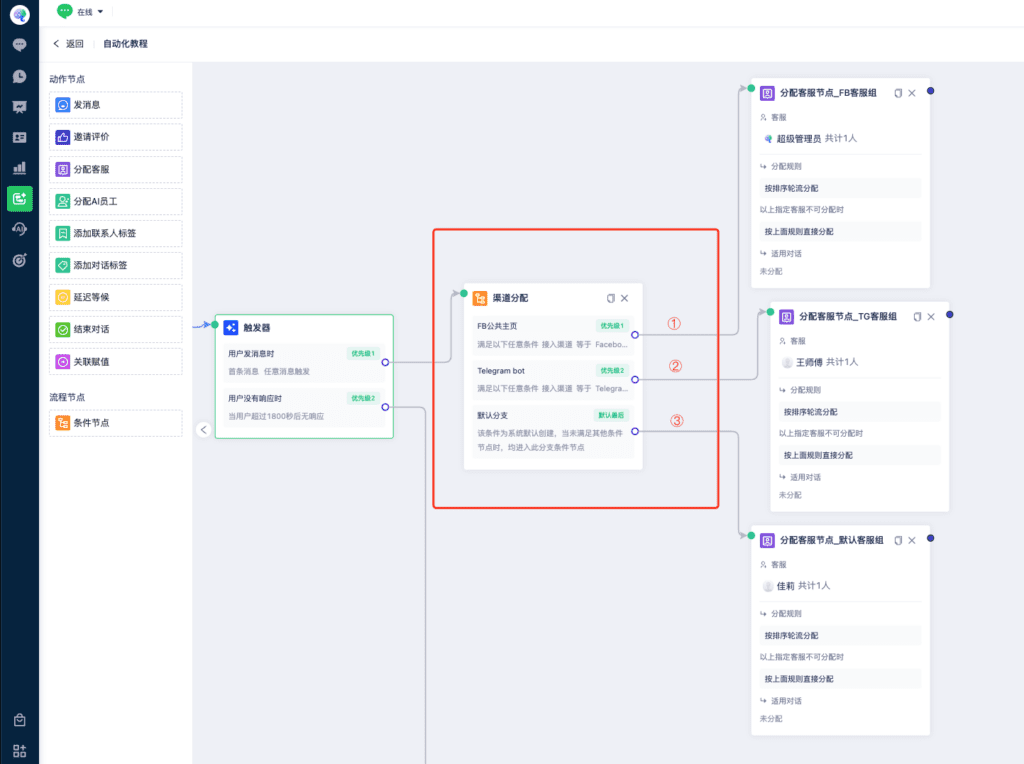
2. Add a condition node and create channel-specific branches. In this example, one branch matches a Facebook Page and another matches a Telegram bot.
The default branch handles users who do not match any configured condition branch.
3. Assign the appropriate team members to each condition branch and the default branch.
4. Conditions support contact details, connected channel, referrer page, landing page, conversation page, region, and browser language, among other options. Configure them to suit your business.
Contact us if you need help configuring the workflow.