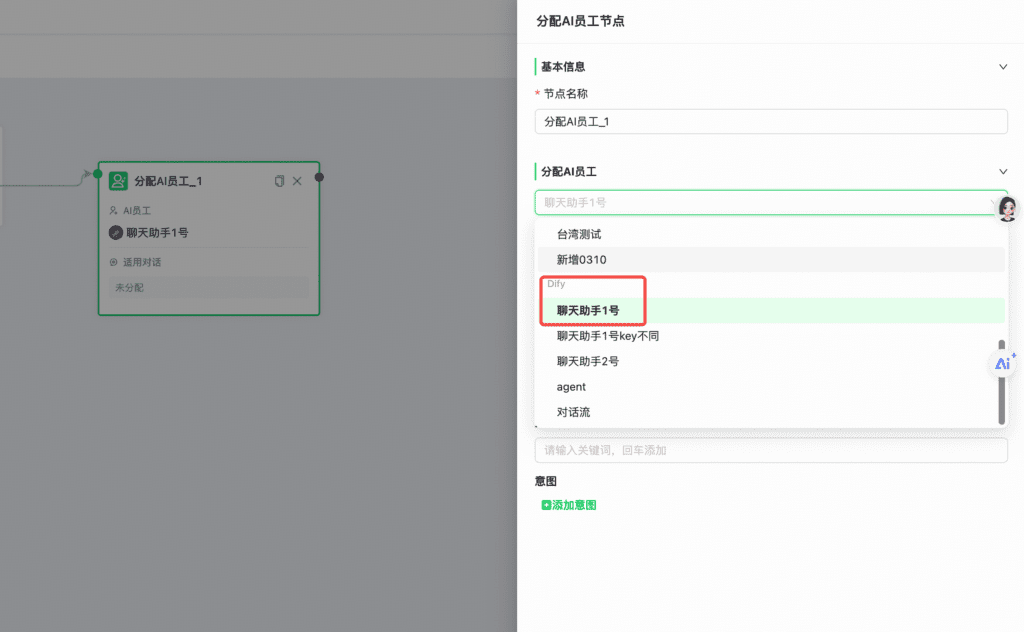
Overview
Connect Dify to Mixdesk, then use Automation to assign conversations to Dify so it can respond to user messages.
Three Dify application types are supported: Chatbot, Agent, and Chatflow.
Setup steps
1. Before you start
1.1 In Dify, open Studio.
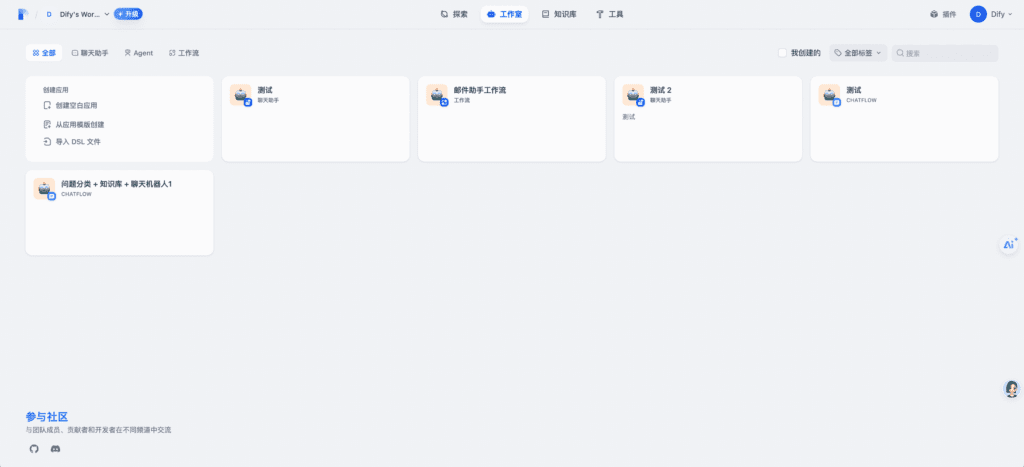
1.2 Select your application and open API Access.
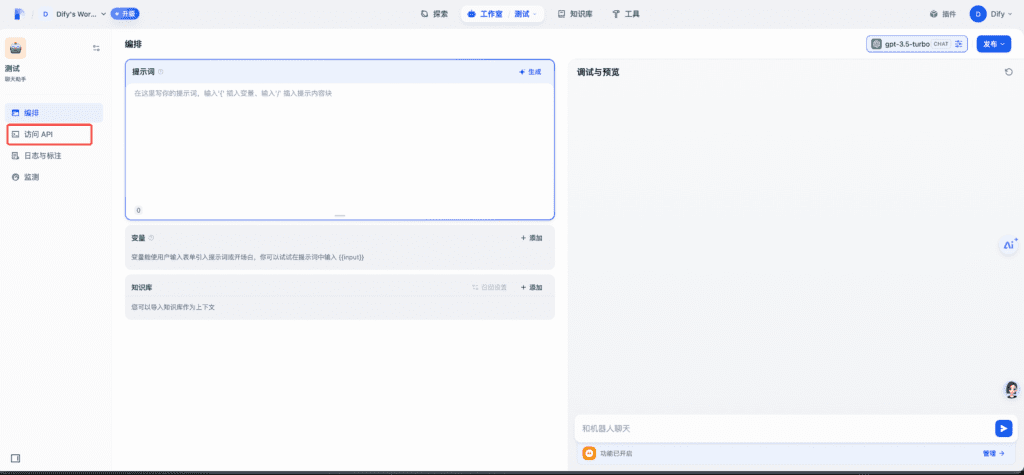
1.3 Select API Key in the upper-right corner and create a key.
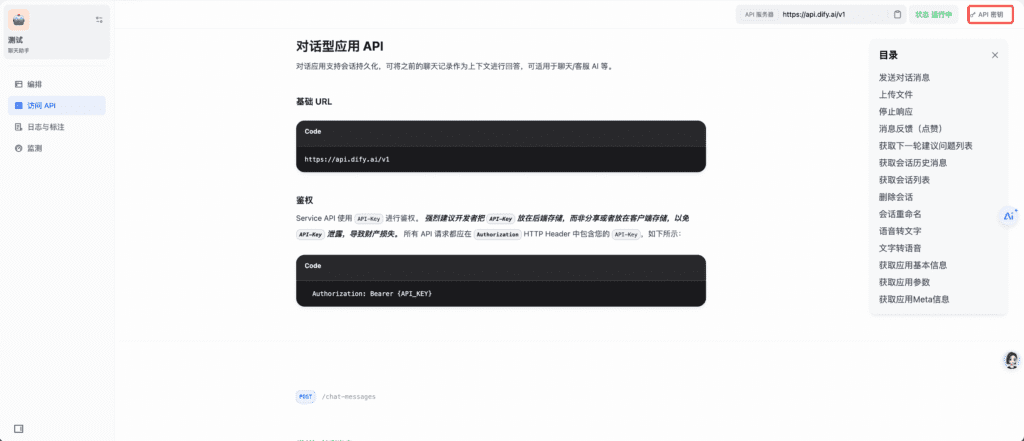
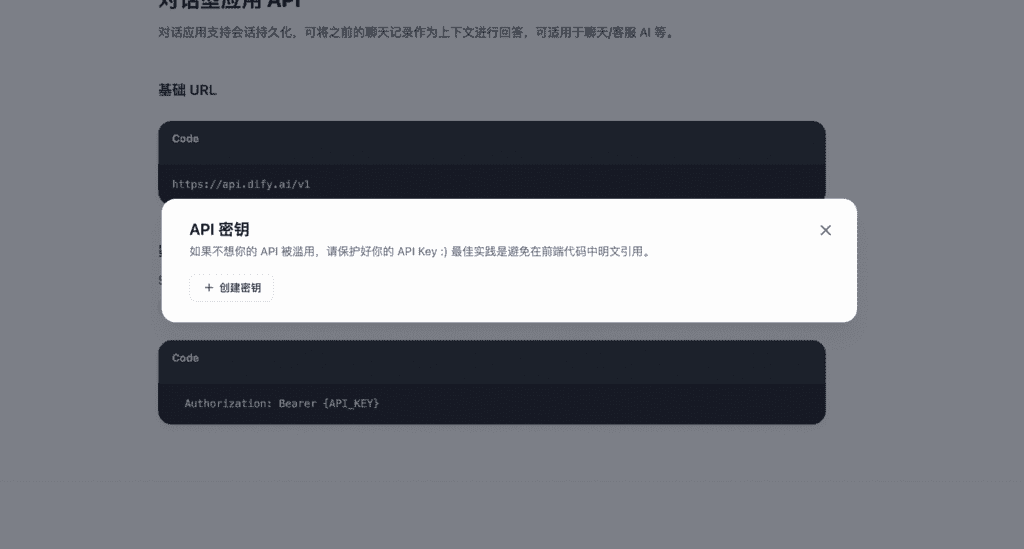
You will use this key when configuring the integration.
2. Connect Dify
2.1 In Mixdesk, go to AI > AI Integrations > Dify.
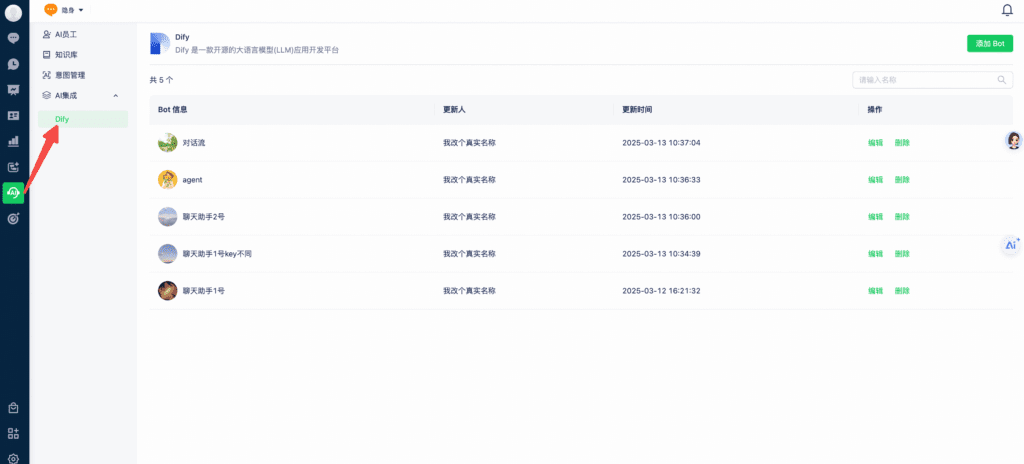
2.2 Select Add Bot.
Upload an avatar, enter a name, and paste the API key you created.
- For the official cloud service, only the API key is required.
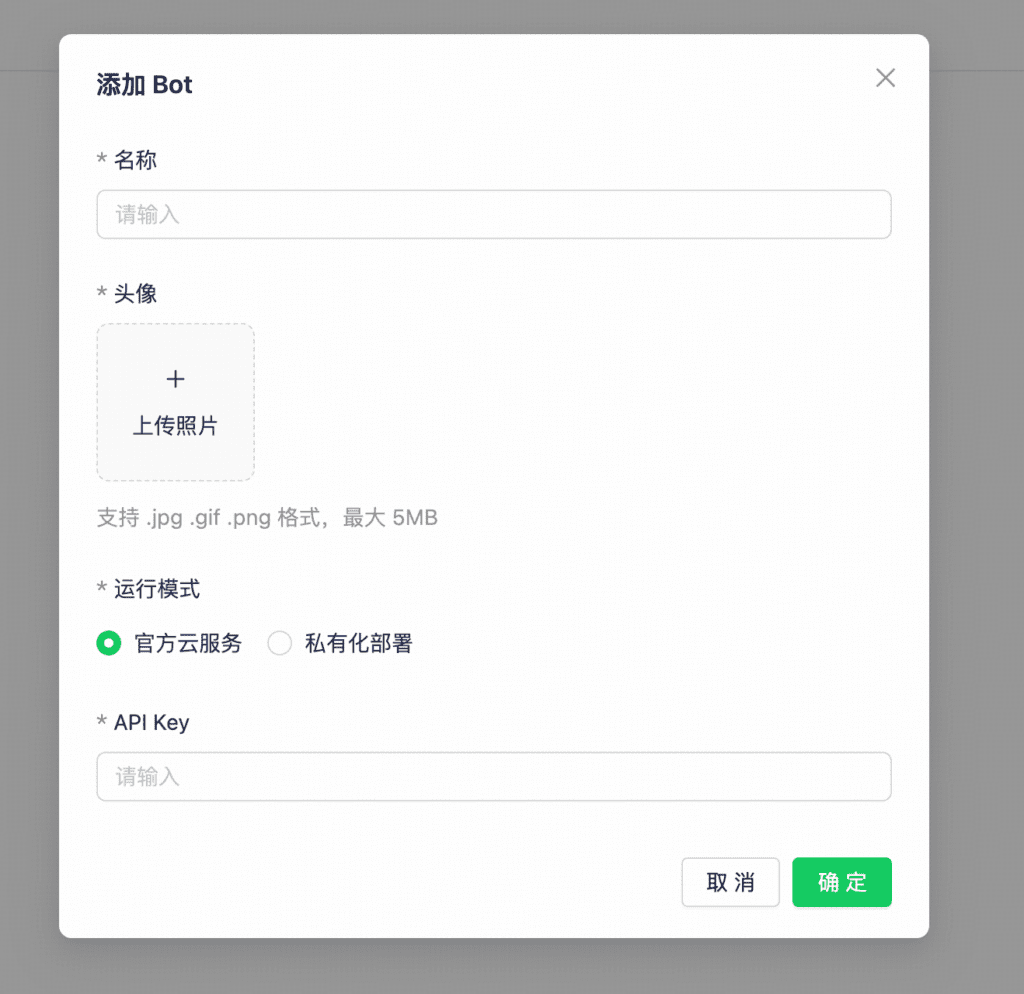
- For a self-hosted deployment, enter both the API key and API URL.
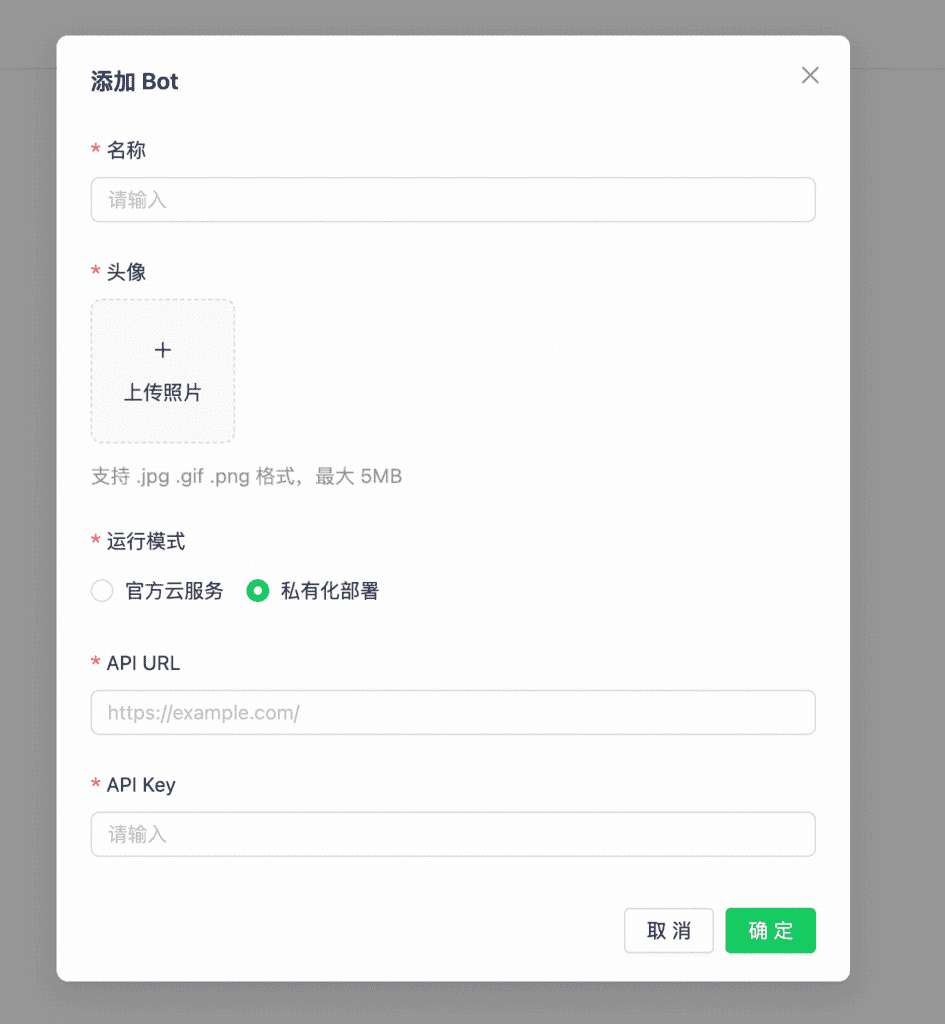
3. Use Dify in conversations
3.1 In Automation, select the Dify bot in an Assign AI Agent node.