Overview
Use Service Hours to manage working hours. Without service hours, team members can be assigned conversations at any time. Once configured, they can receive assignments only during those hours.
Configure service hours
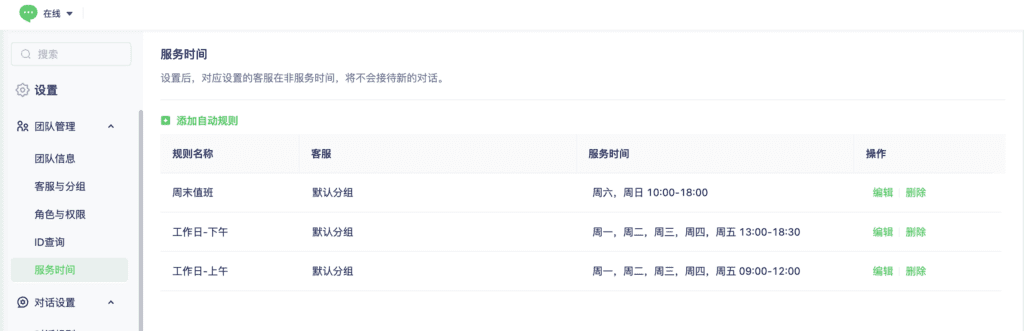
Go to Settings > Team Management > Service Hours to manage service hours. Team members do not receive new conversations outside these hours.
Configure service hours using Add Automatic Rule. If this button is unavailable, check whether your account has permission to set service hours.
If an administrator creates multiple service hours rules, the hours from all applicable rules are combined for the team members included. All times use Beijing time (UTC+8).
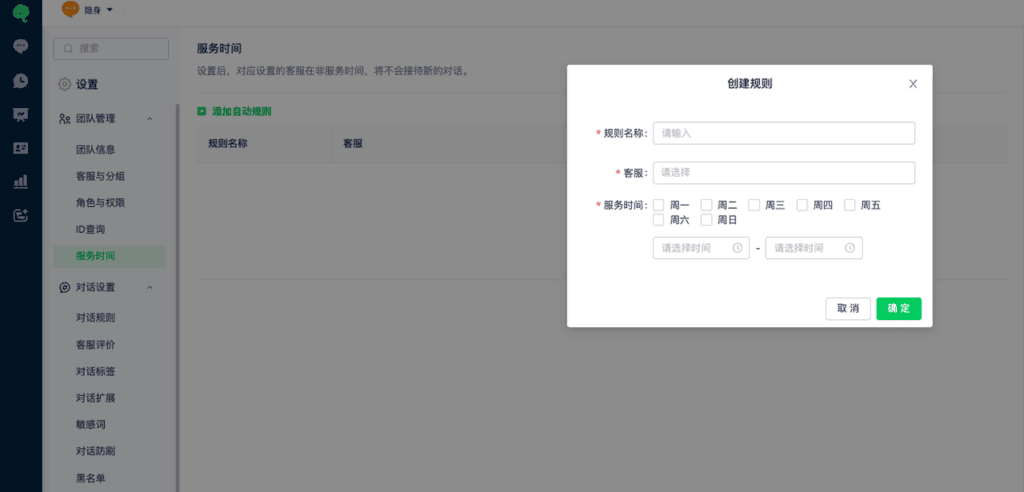
Example service hours
For example, define separate morning and afternoon shifts on weekdays and a different schedule for weekends.