
Overview
Manage file, image, and video transfers and message recall in Settings > Conversation Settings > Conversation Extensions. Enable the functions you need.
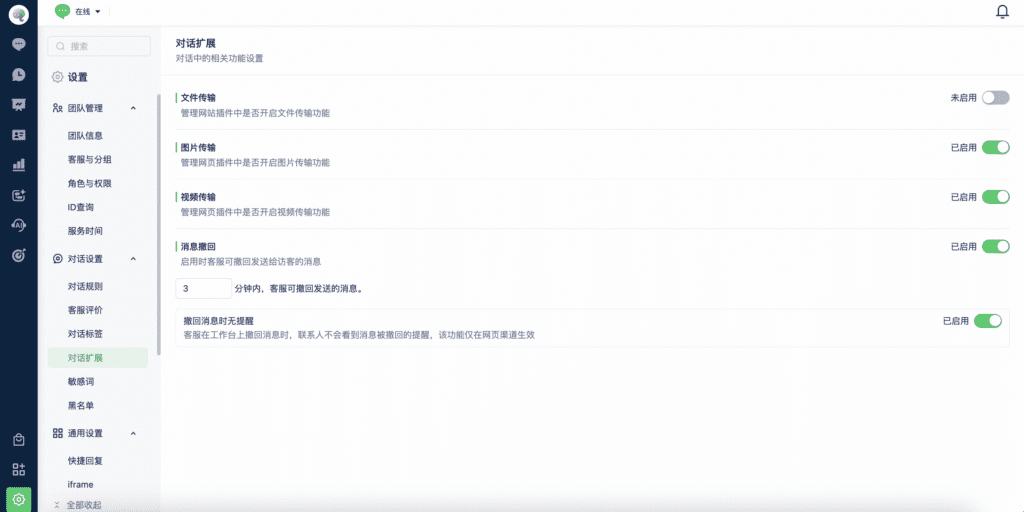
1. File transfers
Controls file messages for the Website channel. Enable this option to send files in website conversations.
2. Image transfers
Controls image messages for Website and App SDK channels. Enable this option to send image messages on the Website channel.
3. Video transfers
Controls video messages for Website and App SDK channels. Enable this option to send video messages on the Website channel.
4. Message recall
When enabled, team members can recall messages sent to customers from the Mixdesk workspace. Configure how many minutes after sending a message it can still be recalled.
Message recall currently supports Website, SDK, and WhatsApp personal-account channels.