Overview
Configure Conversation Rules to notify visitors when conversations end, remind team members about delayed responses, and end inactive conversations automatically. These rules help your team respond promptly.
Configure conversation rules
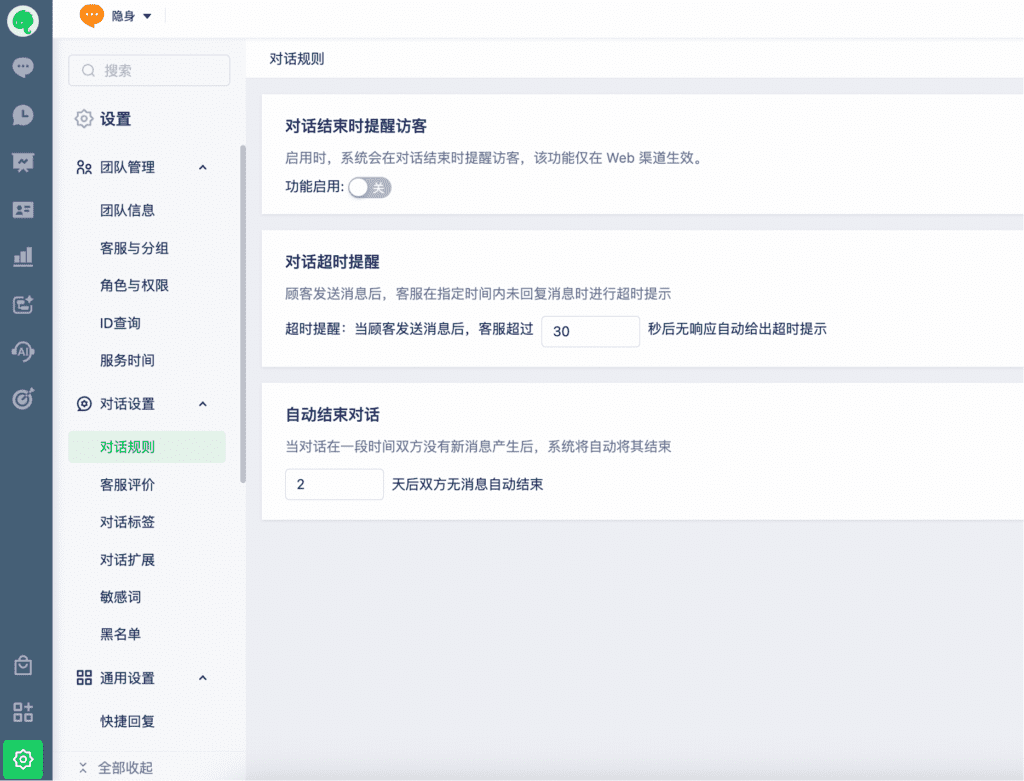
Go to Settings > Conversation Settings > Conversation Rules. Configure notifications for ended conversations and response-timeout reminders, and automatic conversation closure. Enable the options you need.
Response-timeout reminders apply when a team member has not responded to a visitor’s message. The timeout is required and must be at least 20 seconds.
Automatic closure ends a conversation after neither party sends a message for the configured period of 1–15 days.
Configure conversation ratings
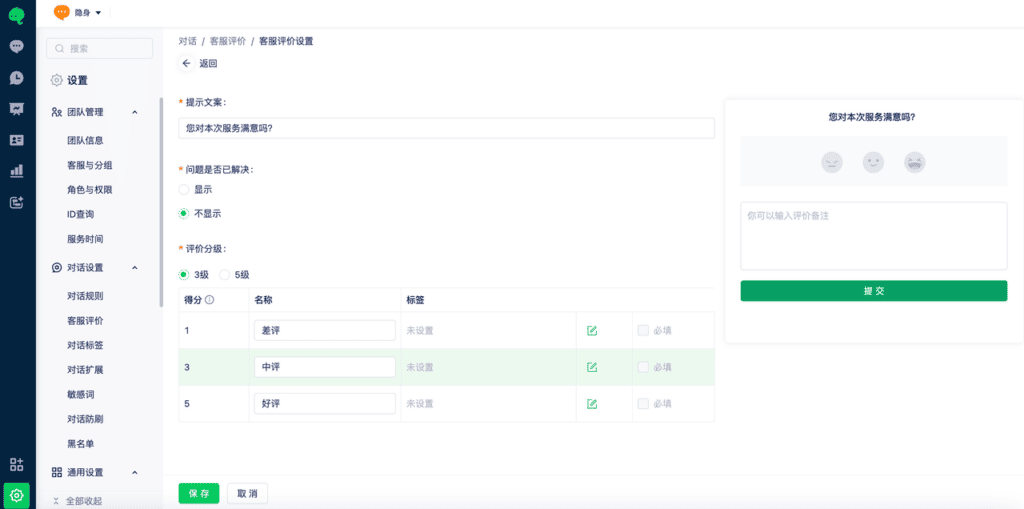
Go to Settings > Conversation Settings > Ratings to preview the rating invitation and configure the rating page.
Conversation ratings are supported only for Web and App SDK channels.
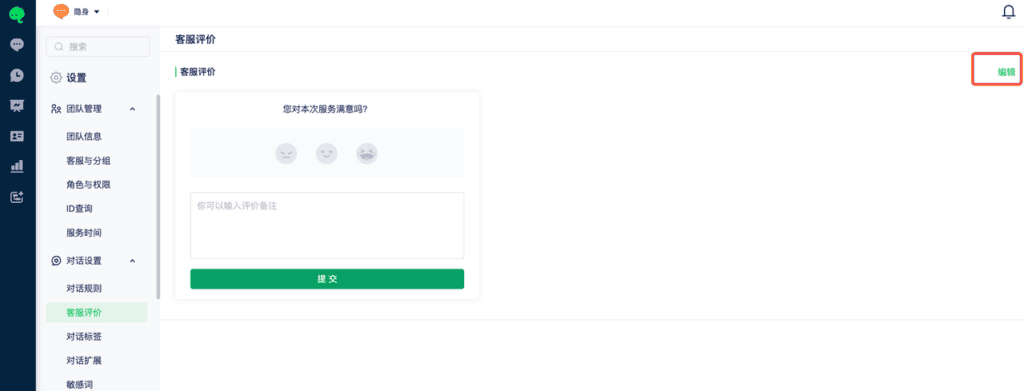
Select Edit in the upper-right corner to configure ratings.