Overview
Go to Settings > Security Settings to configure access controls, including team-member login restrictions, allowed visitor domains, and visitor region permissions. These settings help protect access to your workspace and data.
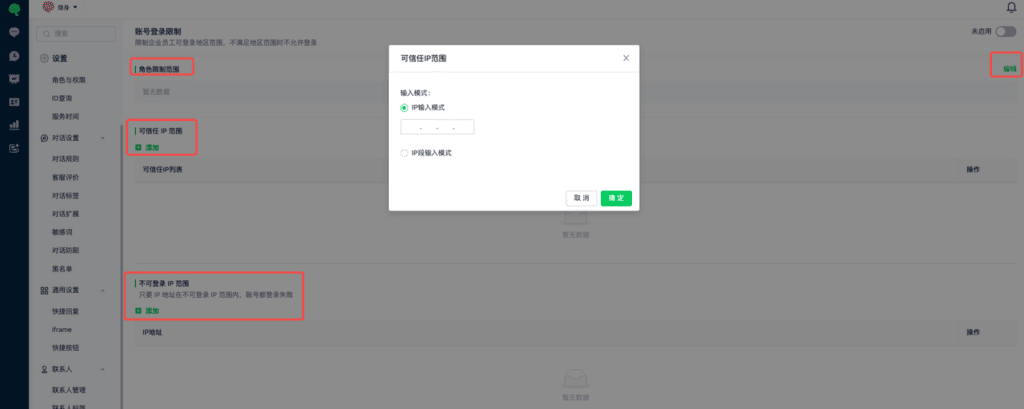
1. Restrict team-member logins
Open Account Login Restrictions to manage login access for selected team members. Configure trusted or blocked IP ranges. Logins that do not meet the configured conditions are denied.
2. Manage allowed domains
An allowed-domain list helps prevent other websites from deploying your workspace’s chat widget code without permission.
Open Security Settings > Allowed Domains. Select Add Domain to add an entry. Once enabled, visitors can start conversations only from the specified domains.

Enter domains without a protocol such as http or https; including one may prevent the entry from being saved.
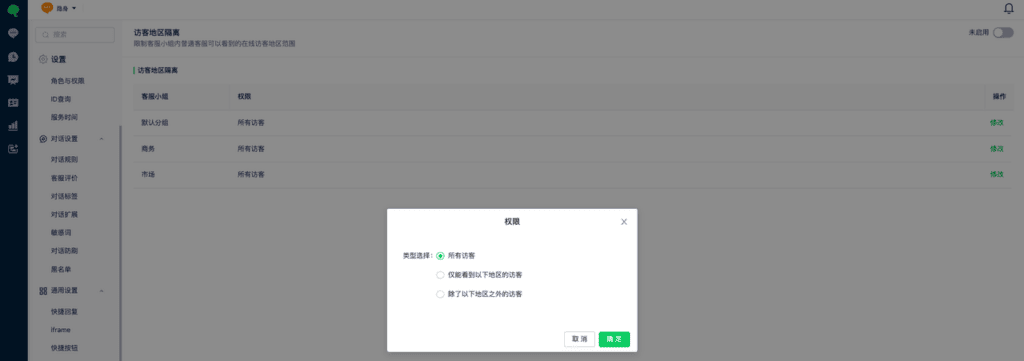
3. Restrict visitor visibility by region
To restrict the regions of online visitors that regular team members in a group can see, go to Security Settings > Visitor Region Isolation and configure the permissions.