
Overview
Reports provide a consolidated view of overview metrics, conversation channels, website conversations, conversation tags, team workload, online time, ratings, and contact tags. Export data for further analysis and reporting.
1. Overview
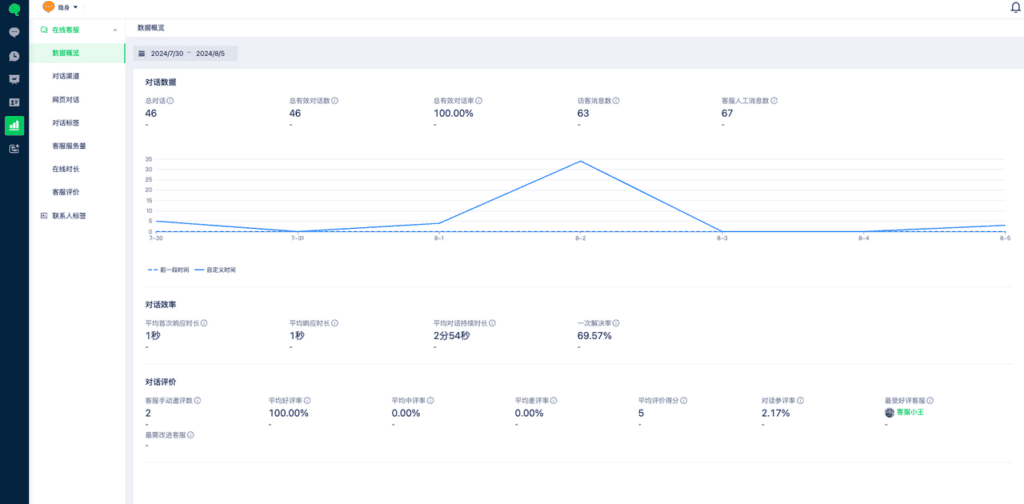
Review visitor, conversation, and rating data. Filter by time period.
2. Conversation channels
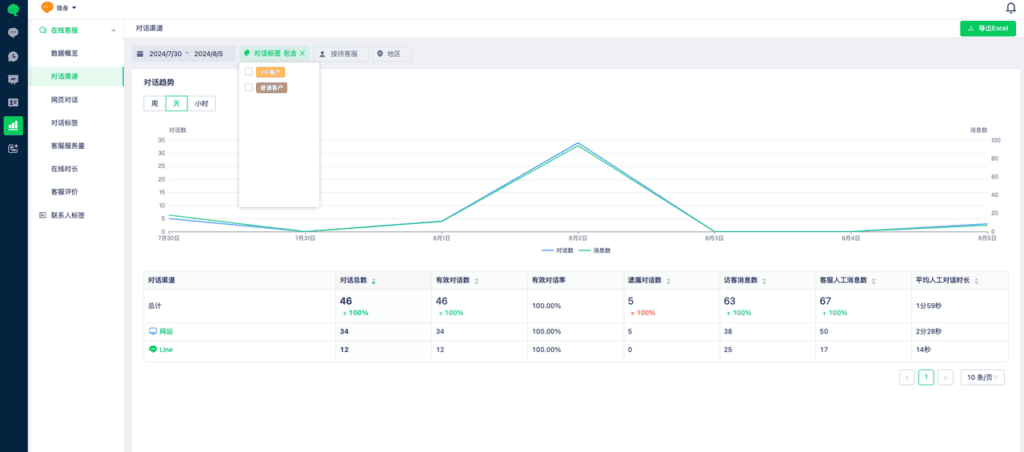
Review metrics by channel, including valid conversations, missed conversations, visitor messages, and average human-handled conversation duration. Filter by time, conversation tags, assigned team member, or region and export the results.
3. Website conversations
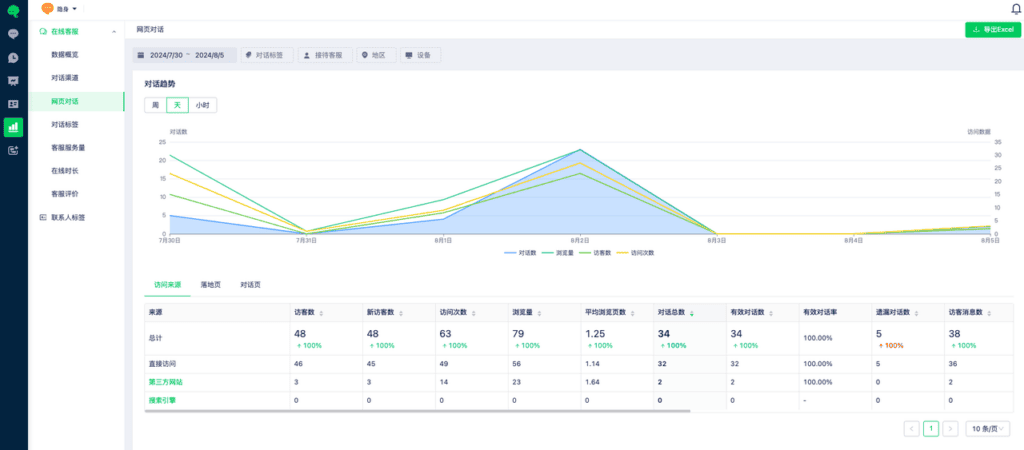
Review visits and conversations by traffic source, landing page, and conversation page. Filter by time, conversation tags, assigned team member, region, or device and export the results.
4. Conversation tags
Review tag usage for a selected period, including total conversations, valid conversations, valid conversation rate, missed conversations, visitor messages, and team-member messages. The data can be exported.
5. Team workload and online time
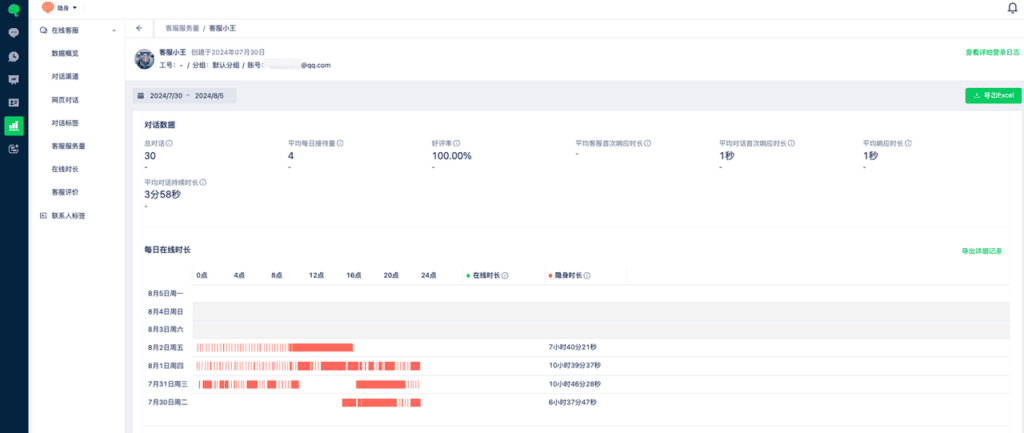
Review each team member’s workload, including conversation count, transfers, and average first response time. Filter by time and team member.
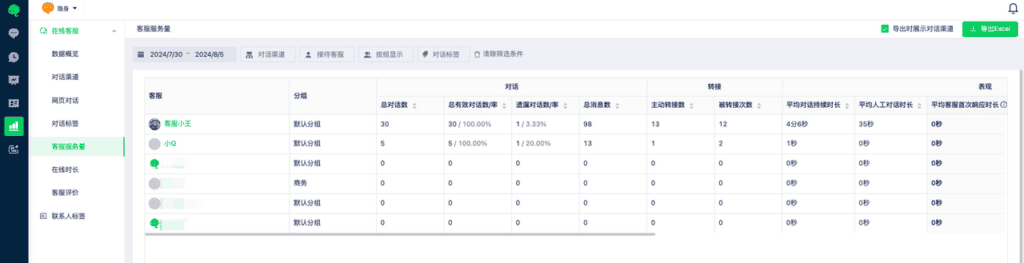
Select a team member’s name for a detailed service report, including invisible time, online time, and specific timestamps.
6. Conversation ratings
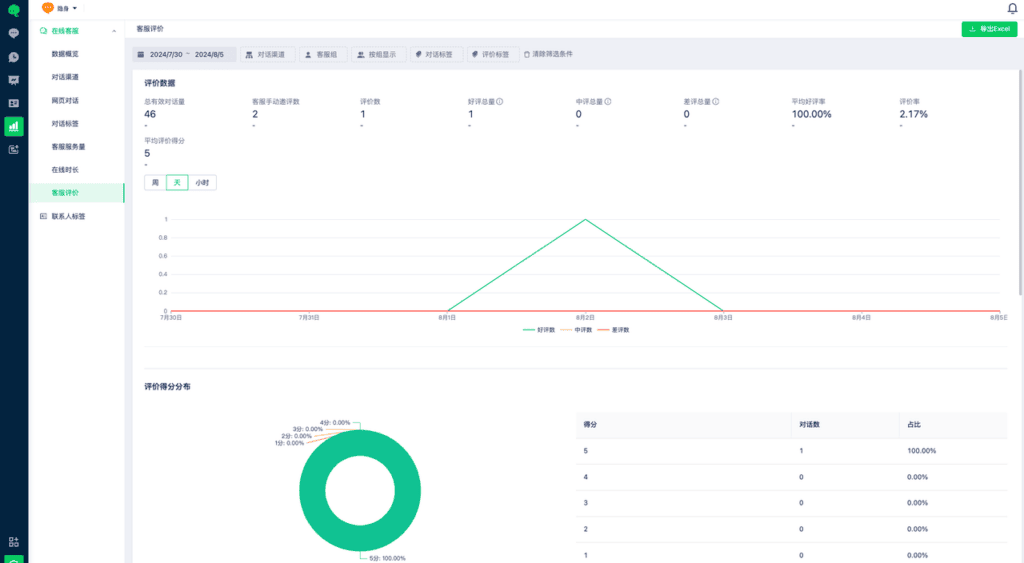
Review rating details, such as positive rating rate and negative rating count. Filter and export the results.
7. Contact tags
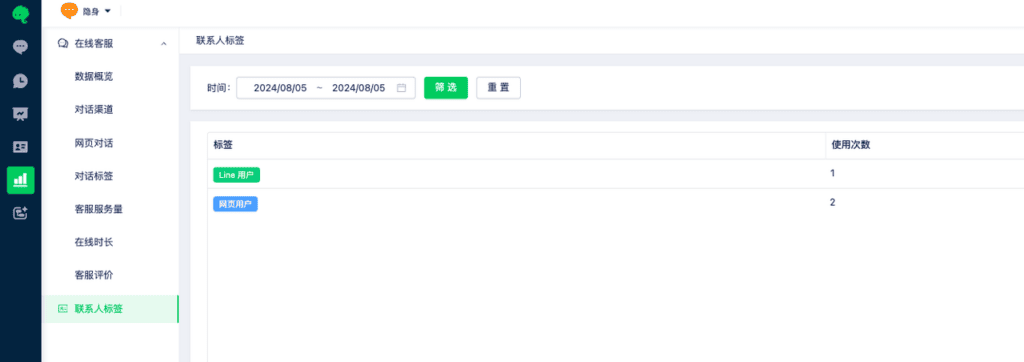
Review usage counts by connected channel.
Reports show only data from the past year. Review and back up data regularly.