Overview
Connect TikTok Business accounts to receive and reply to messages in Mixdesk. Mixdesk supports automatic assignment, personalized messages, AI Agents, and bulk messaging.
Step 1: Connect TikTok Business
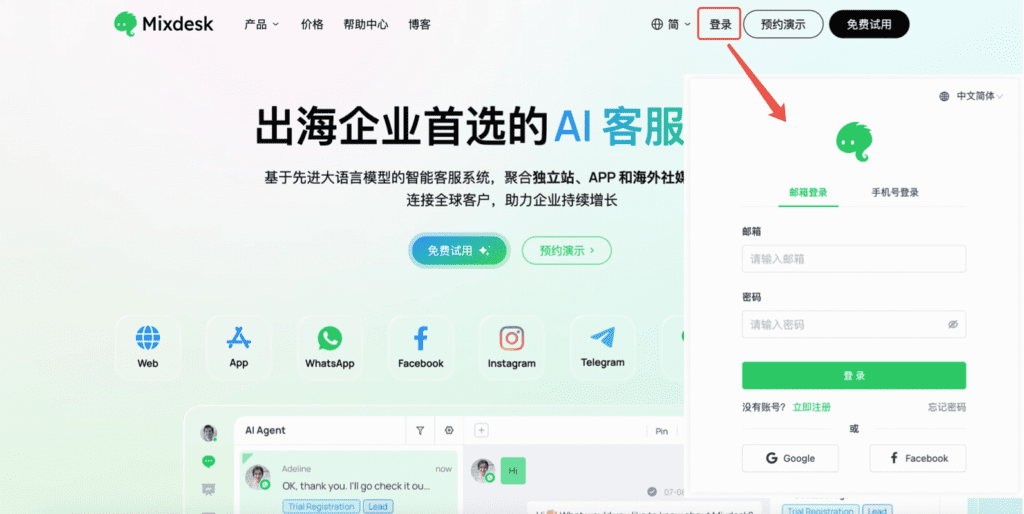
1. Sign in to Mixdesk
Visit mixdesk.com. In the upper-right corner, select Log In and enter your credentials.
If you do not have an account, select Free Trial to register.
2. Open Channels
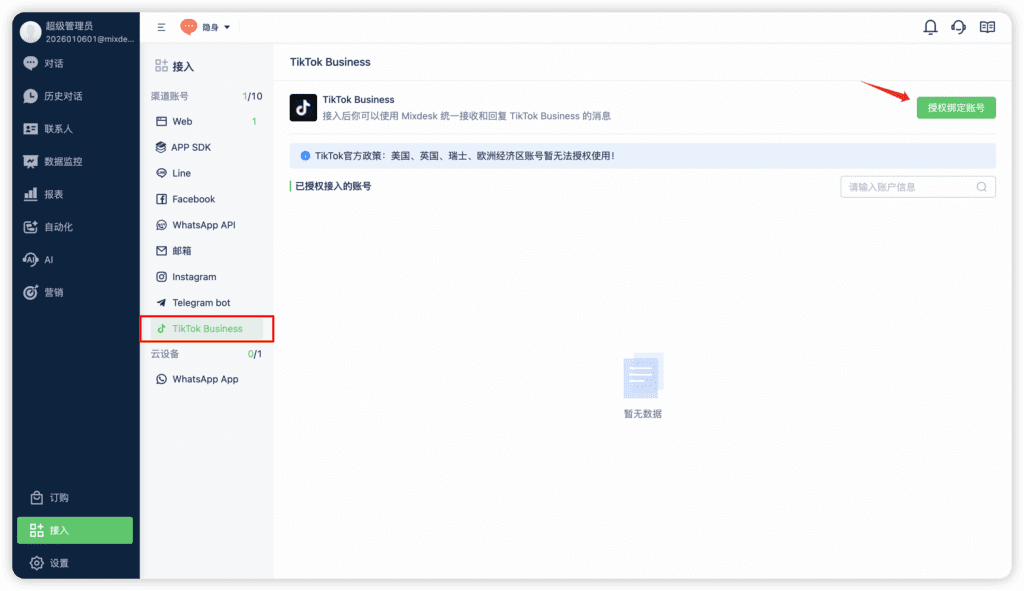
In the left navigation, select Channels and choose TikTok Business as the channel. In the upper-right corner, select Authorize Account.
On the TikTok Business channel page, you can authorize accounts or disconnect them.
3. Sign in and authorize the connection
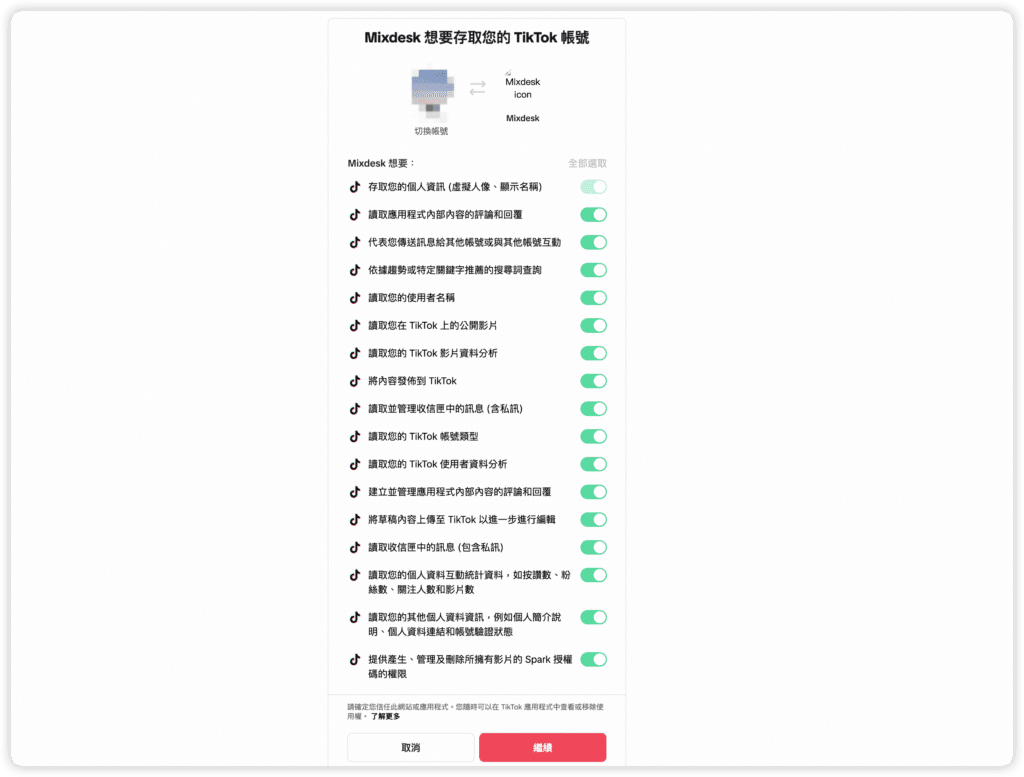
Select Authorize Account to open the login page. Sign in to TikTok and select Continue to authorize.
4. Check the connection
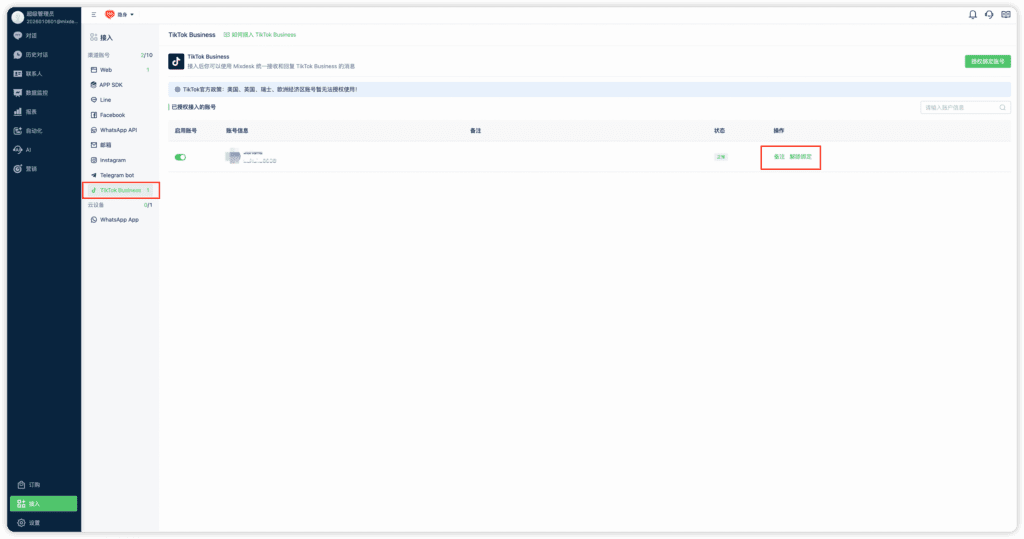
Return to Channels in Mixdesk to review the connection status. You can add account notes or disconnect the account.
Step 2: Receive messages from your TikTok Business account
After connecting the account and enabling the channel, you can receive and reply to its messages in Mixdesk. Replies sent on TikTok also synchronize.
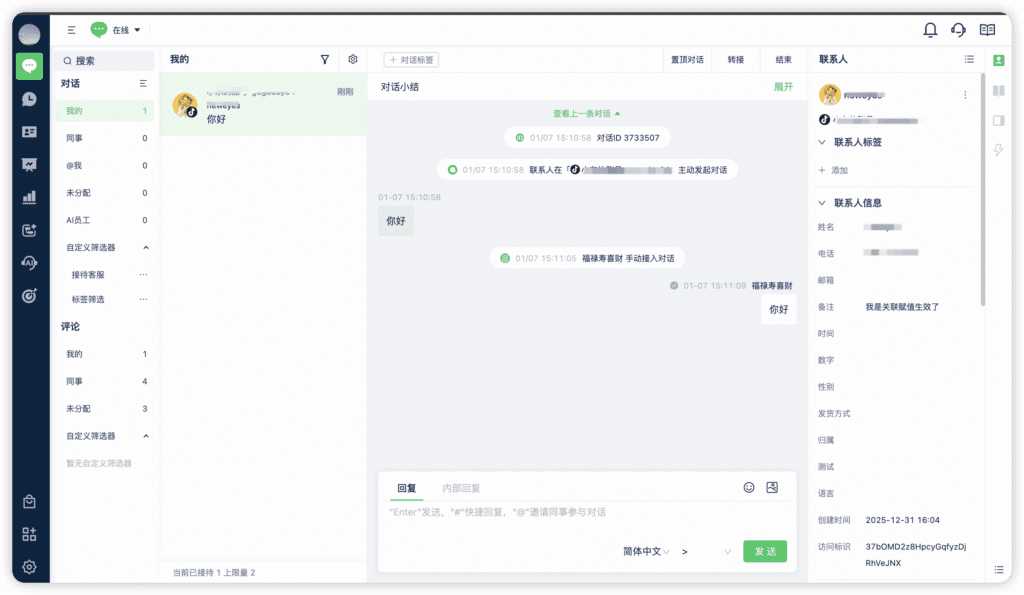
If you need help connecting the account, refer to the Help Center or contact our support team.
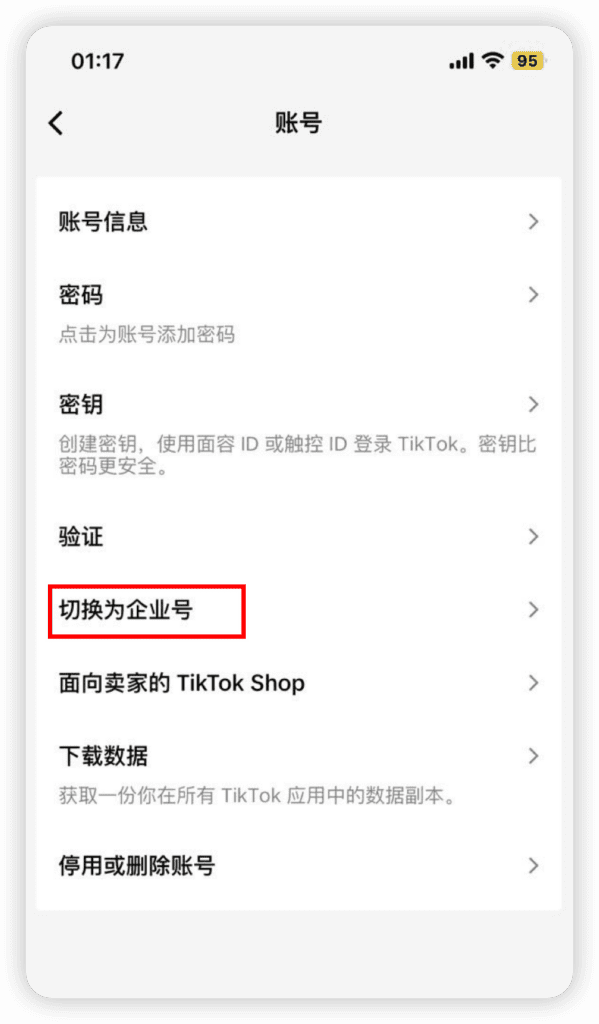
Step 3: Switch your TikTok account to a Business Account
Skip this section if you already have a Business Account.
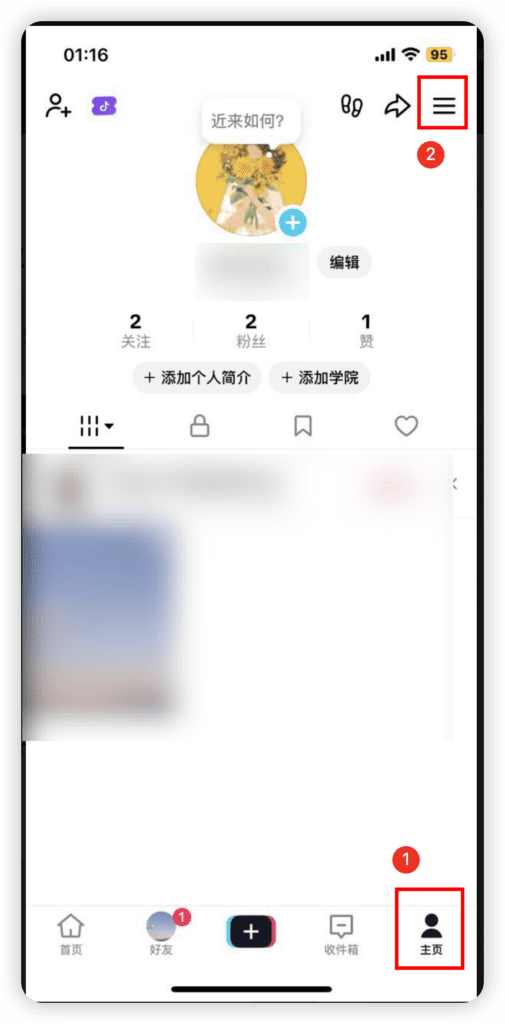
1. Sign in to TikTok and open Settings
Sign in, open your profile, and select Settings in the upper-right corner.
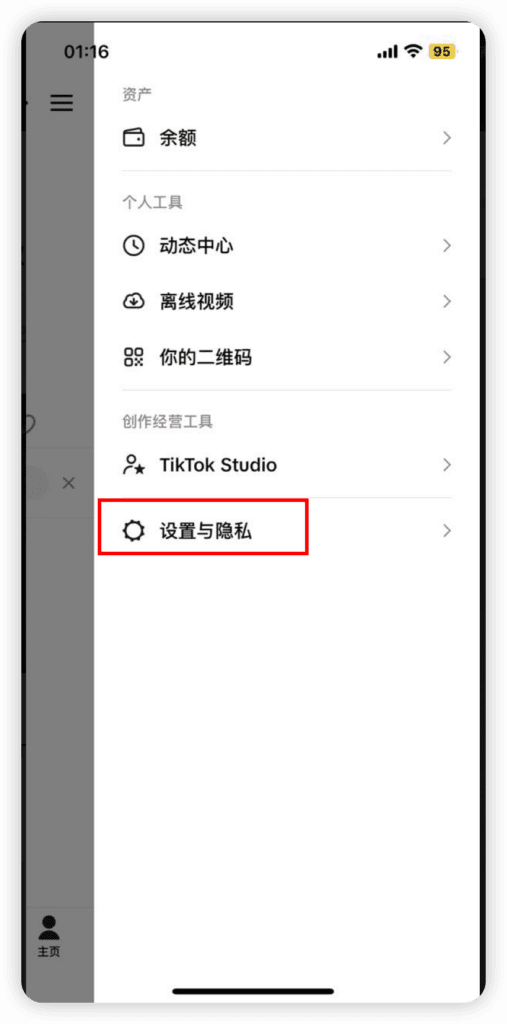
2. Select Settings and Privacy.
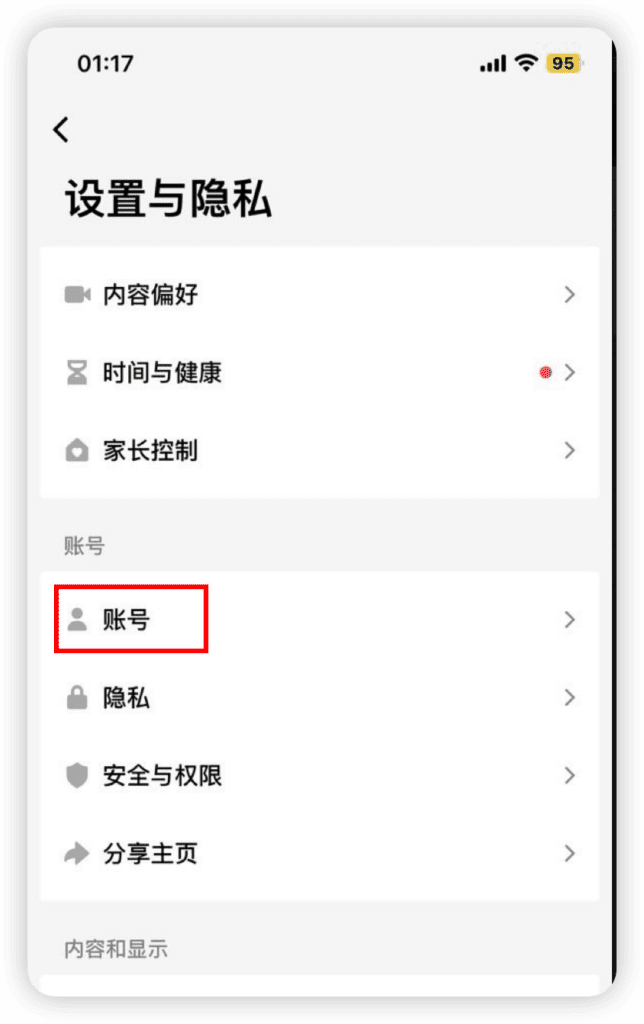
3. Select Account.
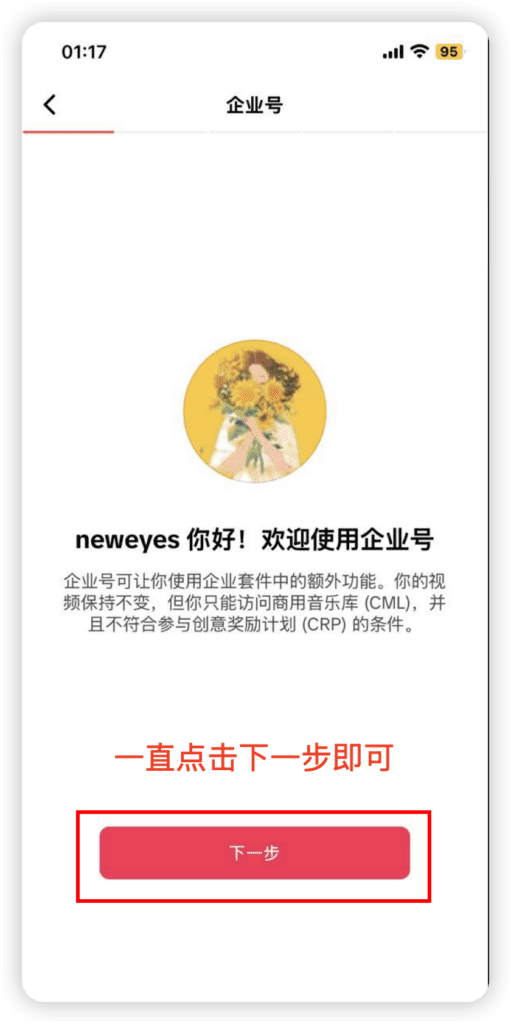
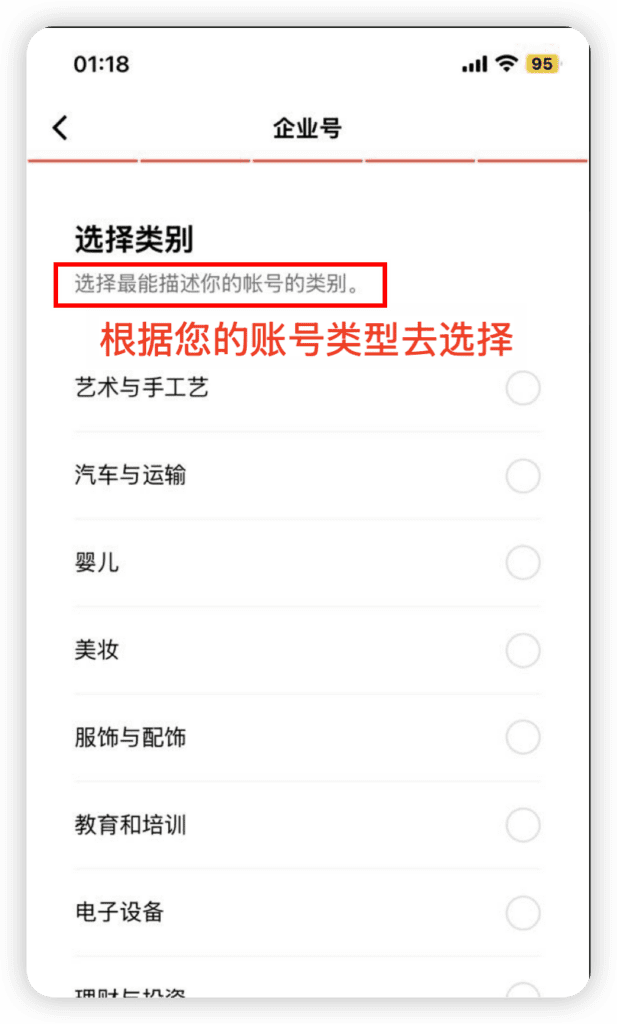
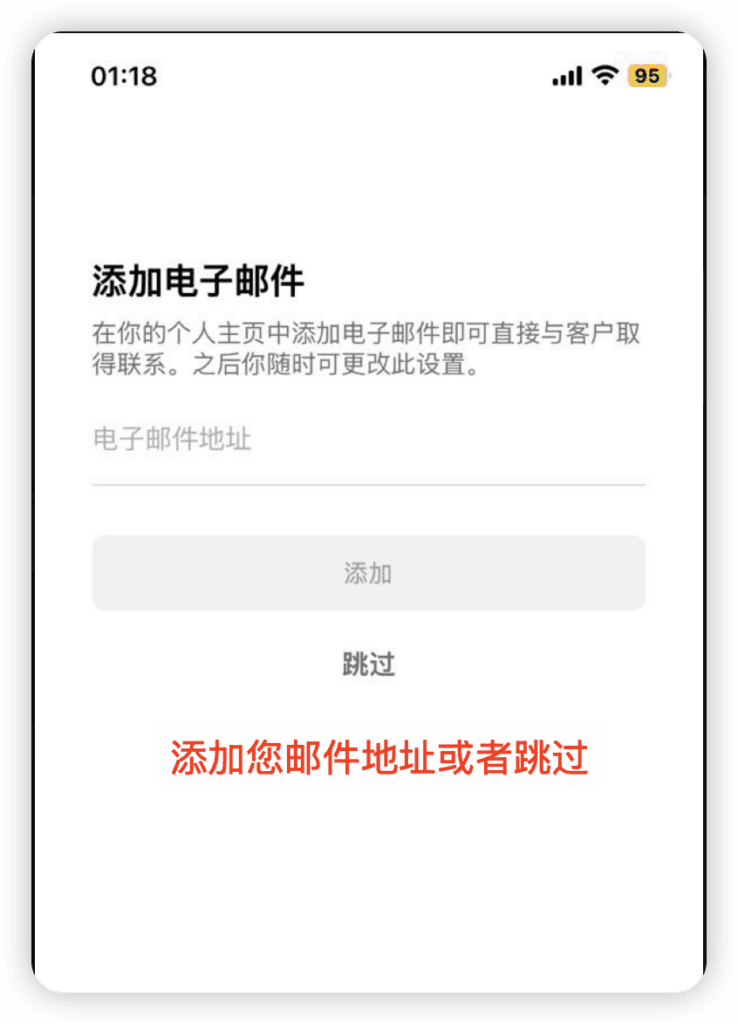
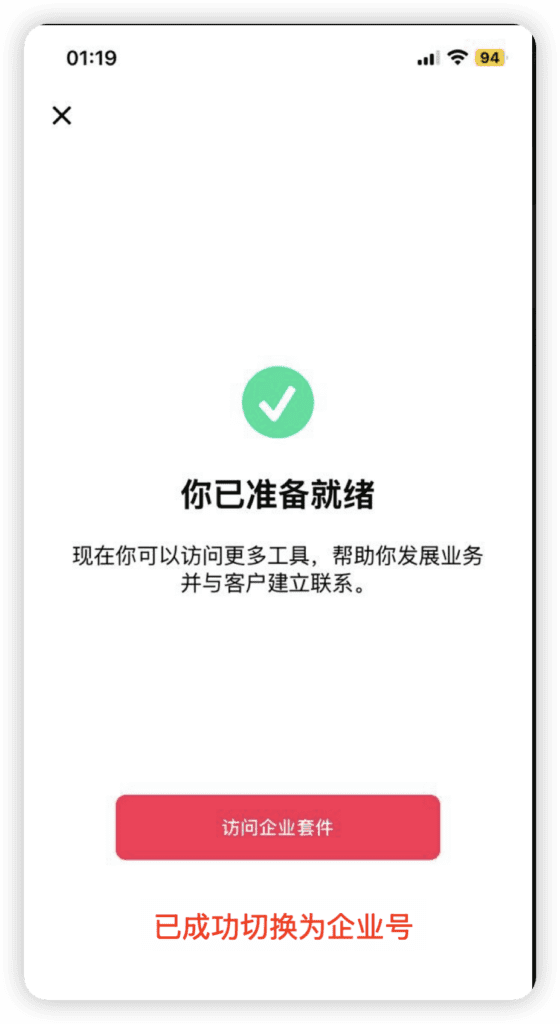
4. Select Switch to Business Account.
5. Complete the Business Account setup.