
Step 1: Enable translation
1. Web workspace
Each team member can enable translation separately in Inbox > Conversation Page Settings.
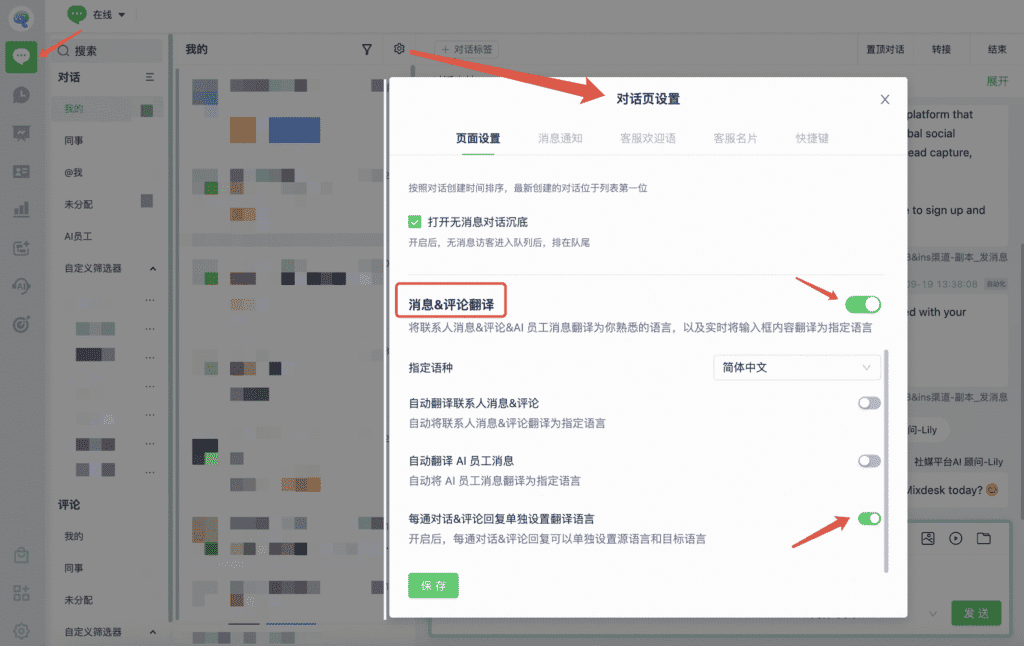
1. Target language: Choose the language you want to read. For example, select Simplified Chinese to translate incoming messages into Simplified Chinese by default.
2. Automatically translate contact messages and comments: Translate them into your target language automatically. Otherwise, select Translate on each message.
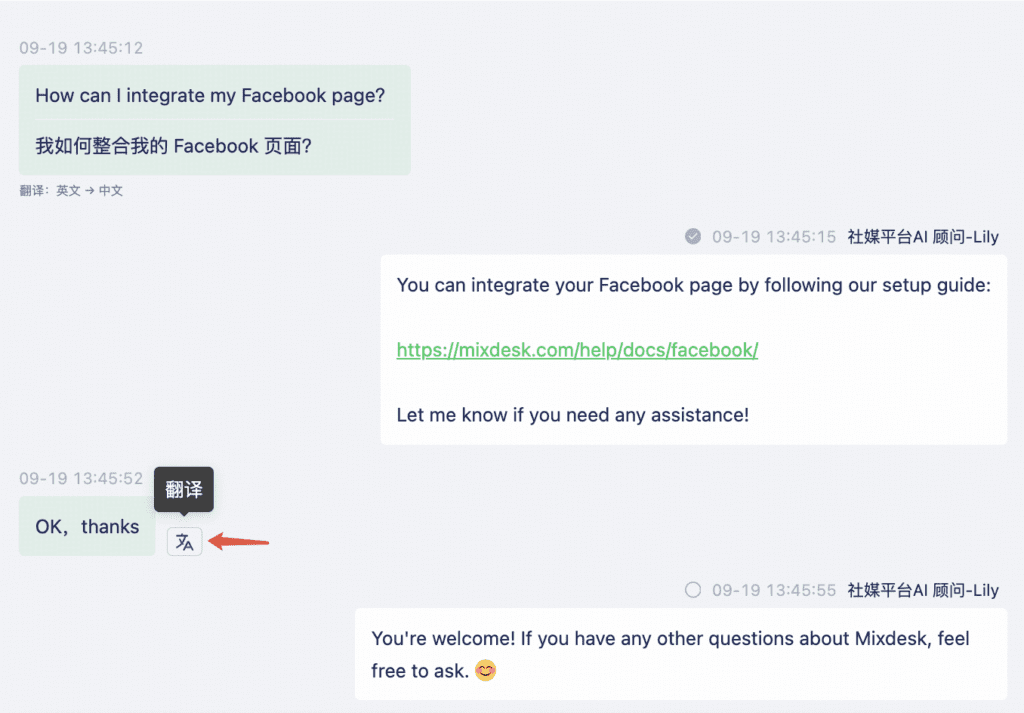
3. Automatically translate AI Agent messages: Translate AI replies into your target language automatically. Otherwise, select Translate on each message.
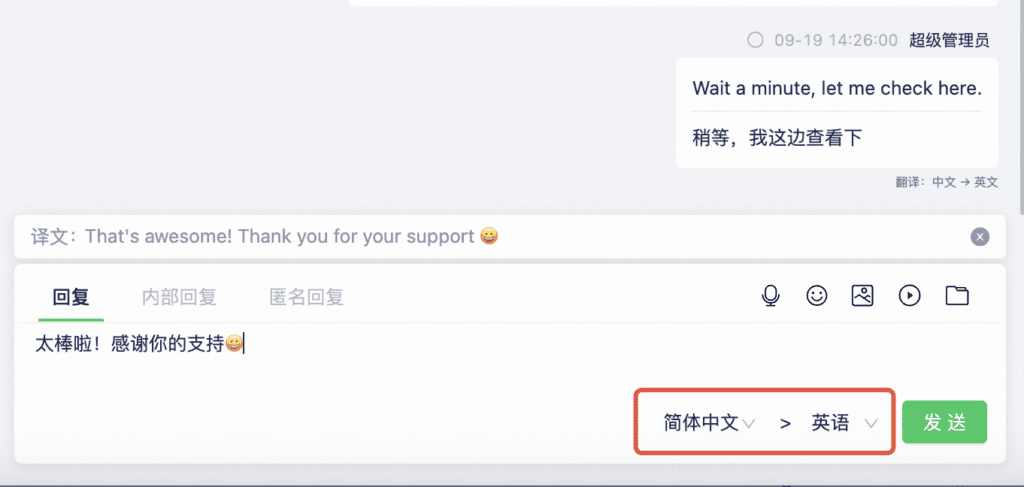
4. Set a separate translation language for each conversation and comment reply: Choose the appropriate language for each customer and translate in real time. Enabling this option is recommended.
2. Mobile workspace
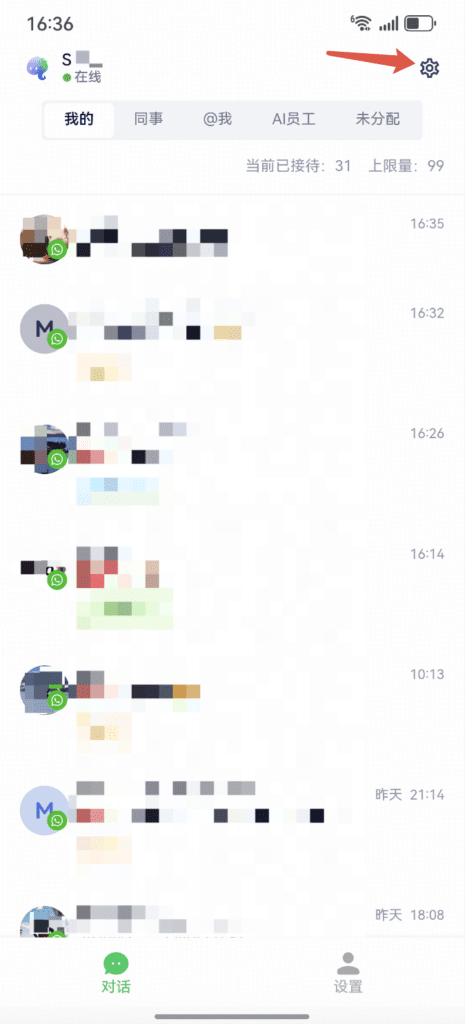
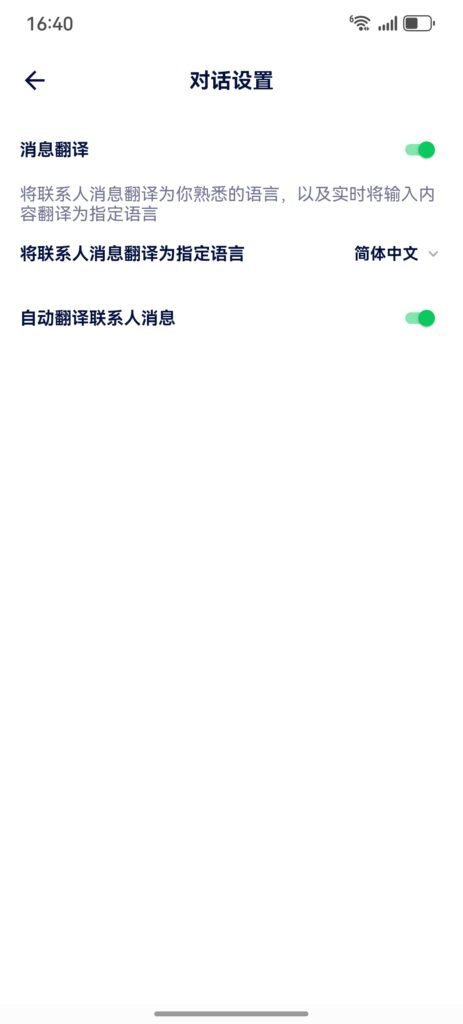
Sign in to the Mixdesk app, select Settings in the upper-right corner, and enable message translation. Choose the target language and whether to translate automatically.
Step 2: Change the workspace language
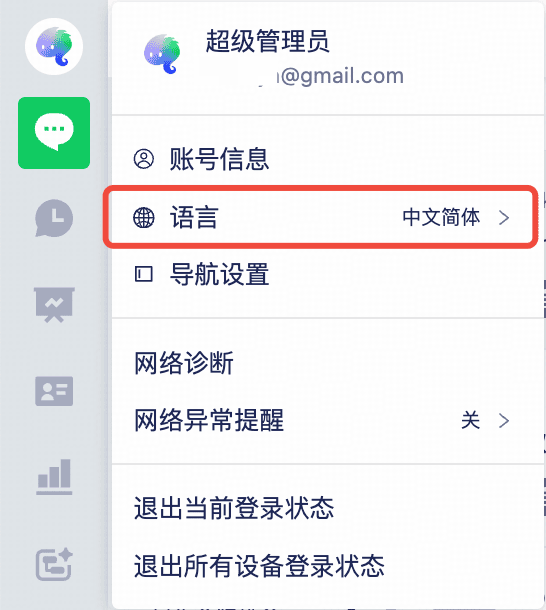
Hover over your avatar in the upper-left corner, select Language, and choose the display language.
Step 3: Supported languages
| Language | Website chat widget | Workspace | Automatic translation | Message translation |
| Simplified Chinese | ✅ | ✅ | ✅ | ✅ |
| Traditional Chinese | ✅ | ✅ | ✅ | ✅ |
| English | ✅ | ✅ | ✅ | ✅ |
| Thai | ✅ | ✅ | ✅ | ✅ |
| Vietnamese | ✅ | ✅ | ✅ | ✅ |
| Indonesian | ✅ | ✅ | ✅ | ✅ |
| Malay | ✅ | ✅ | ✅ | ✅ |
| Hindi | ✅ | ✅ | ✅ | ✅ |
| Japanese | ✅ | ✅ | ✅ | ✅ |
| Portuguese | ✅ | ✅ | ✅ | ✅ |
| Spanish | ✅ | ✅ | ✅ | ✅ |
| Russian | ✅ | ✅ | ✅ | ✅ |
| Korean | ✅ | ✅ | ✅ | ✅ |
| Burmese | ✅ | ✅ | ✅ | ✅ |
| Khmer | ✅ | ✅ | ✅ | ✅ |
| Filipino | ✅ | ✅ | ✅ | ✅ |
| French | ✅ | ✅ | ✅ | ✅ |
| Lao | ✅ | ✅ | ✅ | ✅ |
| Dutch | ✅ | ✅ | ✅ | ✅ |
| German | ✅ | ✅ | ✅ | ✅ |
| Arabic | ✅ | ✅ | ✅ | ✅ |
| Bengali | ✅ | ✅ | ✅ | ✅ |
| Turkish | ✅ | ✅ | ✅ | ✅ |
| Persian | ✅ | ✅ | ✅ | ✅ |
| Italian | ✅ | ✅ | ✅ | ✅ |
| Polish | ✅ | ✅ | ✅ | ✅ |
| Zulu | ✅ | ✅ | ✅ | ✅ |
| Urdu | ✅ | ✅ | ✅ | ✅ |