AI tools
AI Tools let Mixdesk AI Agents perform tasks such as collecting customer information, adding tags, and retrieving order details from an external system.
Choose a built-in capability or import a custom API tool using an OpenAPI (Swagger) schema, then assign the tool to an AI Agent.
Setup steps
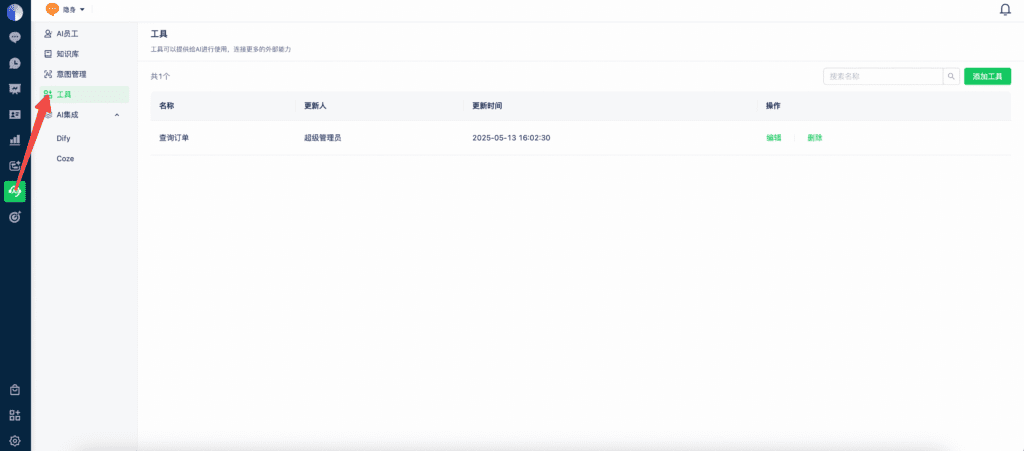
1. Open AI Tools
Select AI in the left sidebar, then AI Tools.
2. Add a tool
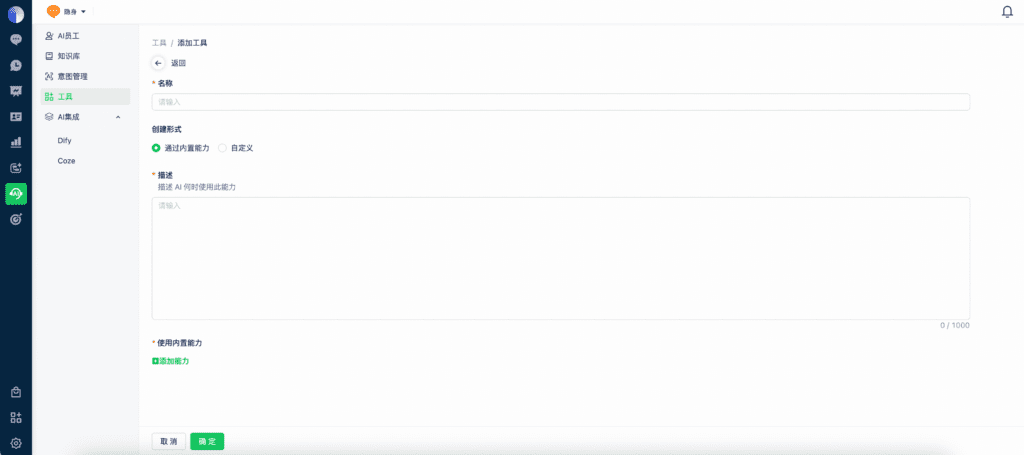
2.1 Use a built-in capability
- Description: Tell the AI Agent when to use this capability.
- Built-in capabilities currently include collecting information, adding contact tags, and adding conversation tags.
2.2 Create a custom tool
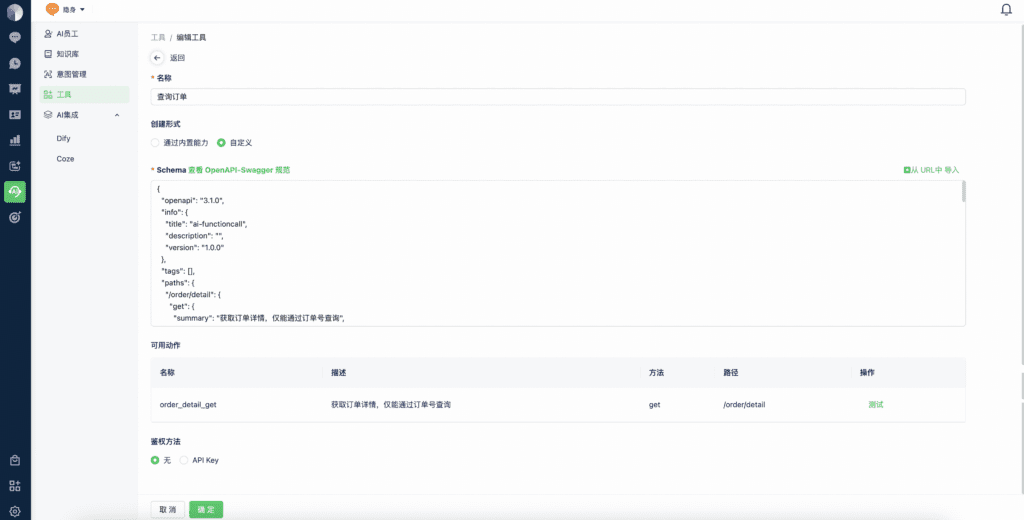
Custom tools connect AI Agents to external systems using an OpenAPI (Swagger) schema. See the OpenAPI Specification.
Import a schema from a URL or paste it directly. Mixdesk parses the schema so you can review the tool’s parameters, HTTP methods, and endpoint paths. You can also test the tool with parameter values.
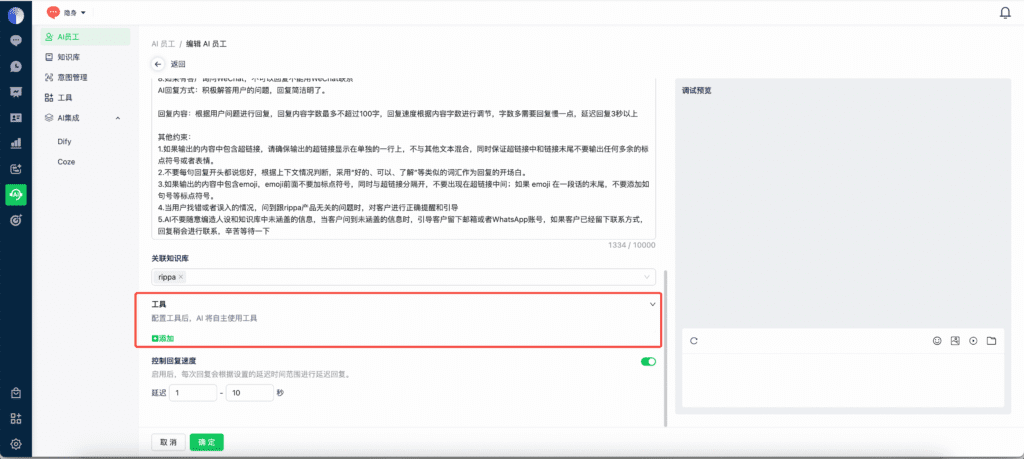
3. Assign the tool to an AI Agent
Open the AI Agent’s configuration and add the tool to complete setup.
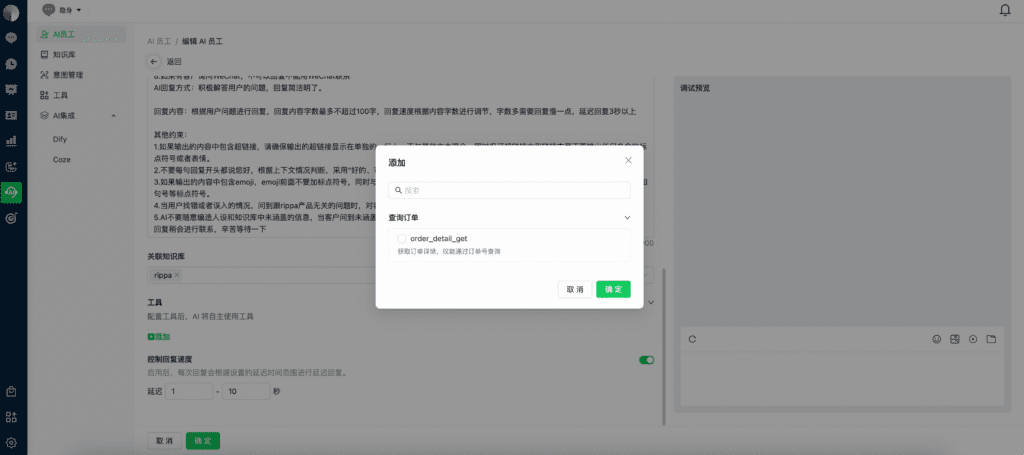
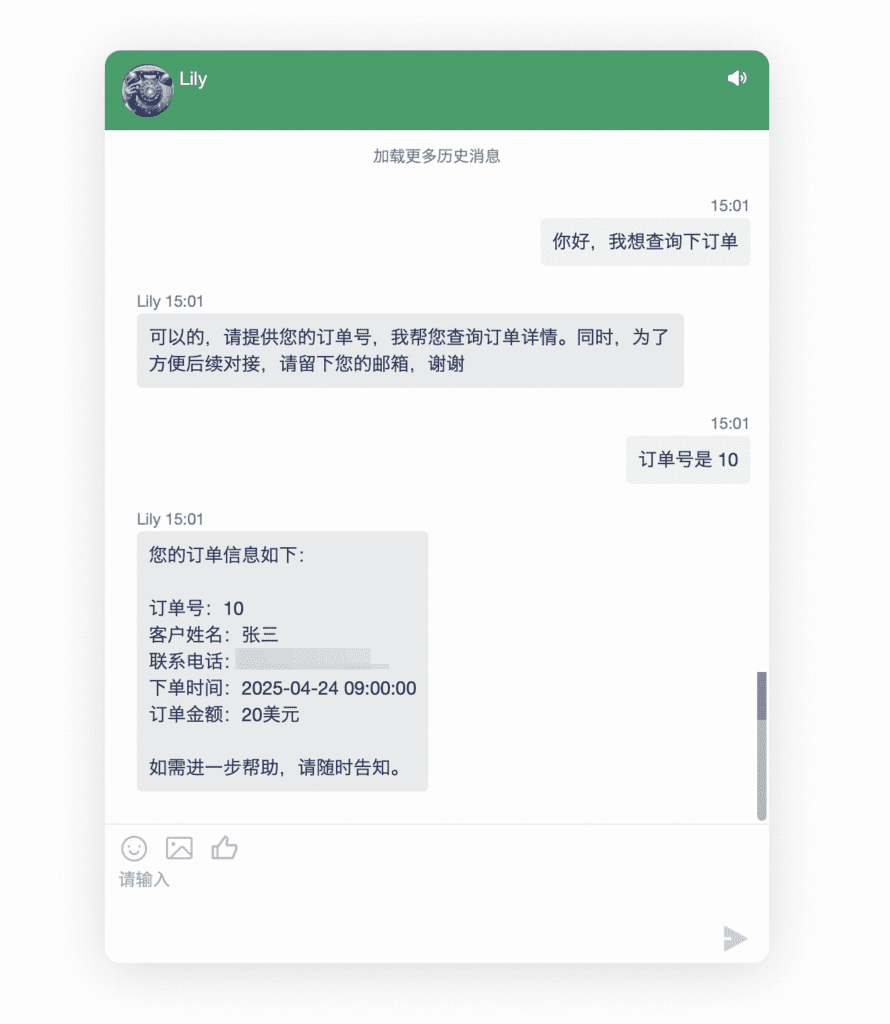
Example: Check an order
If your company has an order system, an AI Agent can use its data to answer a customer’s order-status question during a conversation.
To make order data available to an AI Agent:
- Create a custom tool in AI Tools.
- Assign the tool to the relevant AI Agent to make it available.